
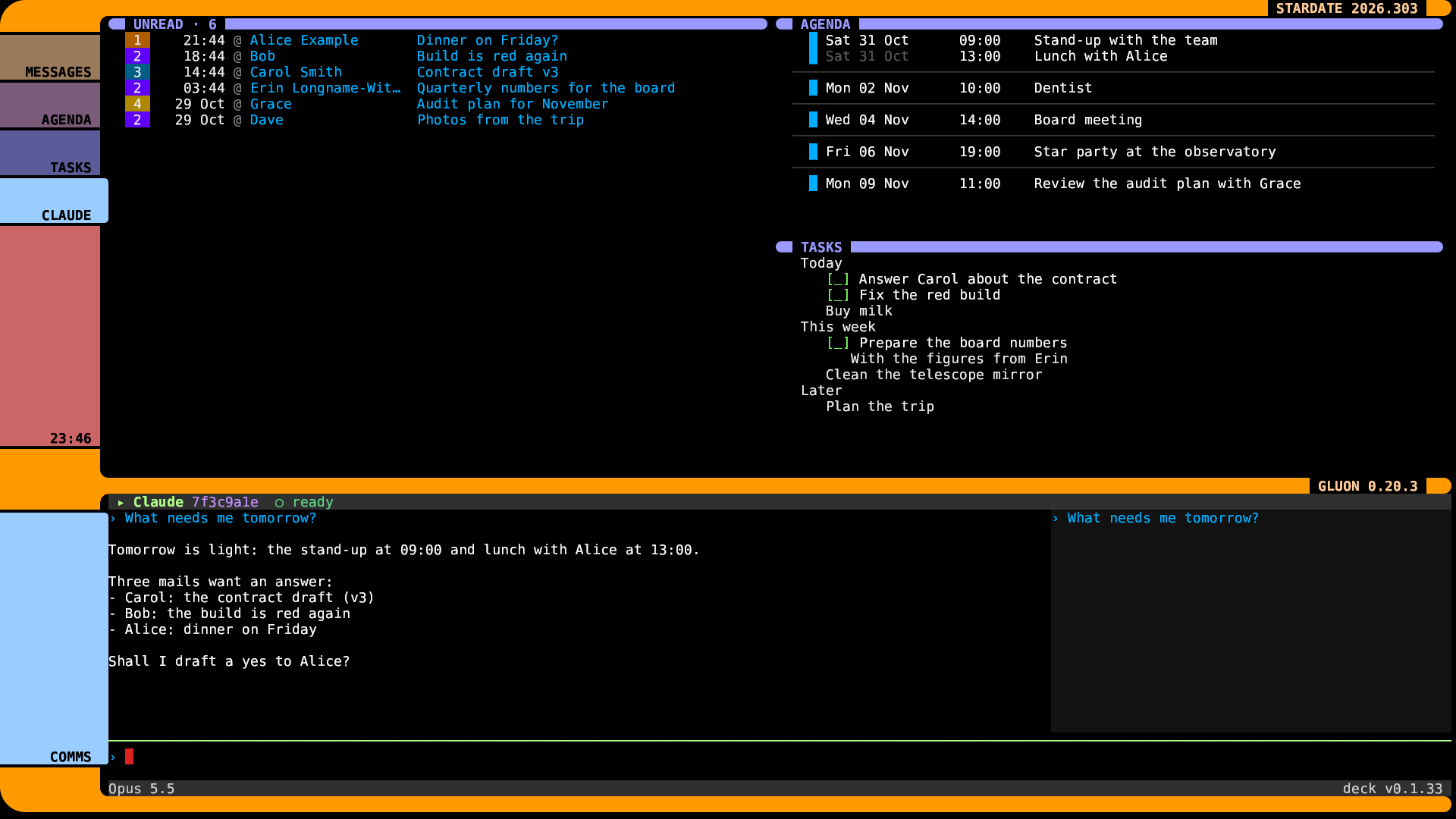
Loved sci-fi since I was a kid, when I first saw Space: 1999. The genre has been a great inspiration throughout my life. When I saw Star Trek, I was intrigued by the cool-looking screens. Yeah, I just had to do this.
gluon is where I start my day. Mail, calendar and tasks at the top, Claude in deck at the bottom. It looked like this:
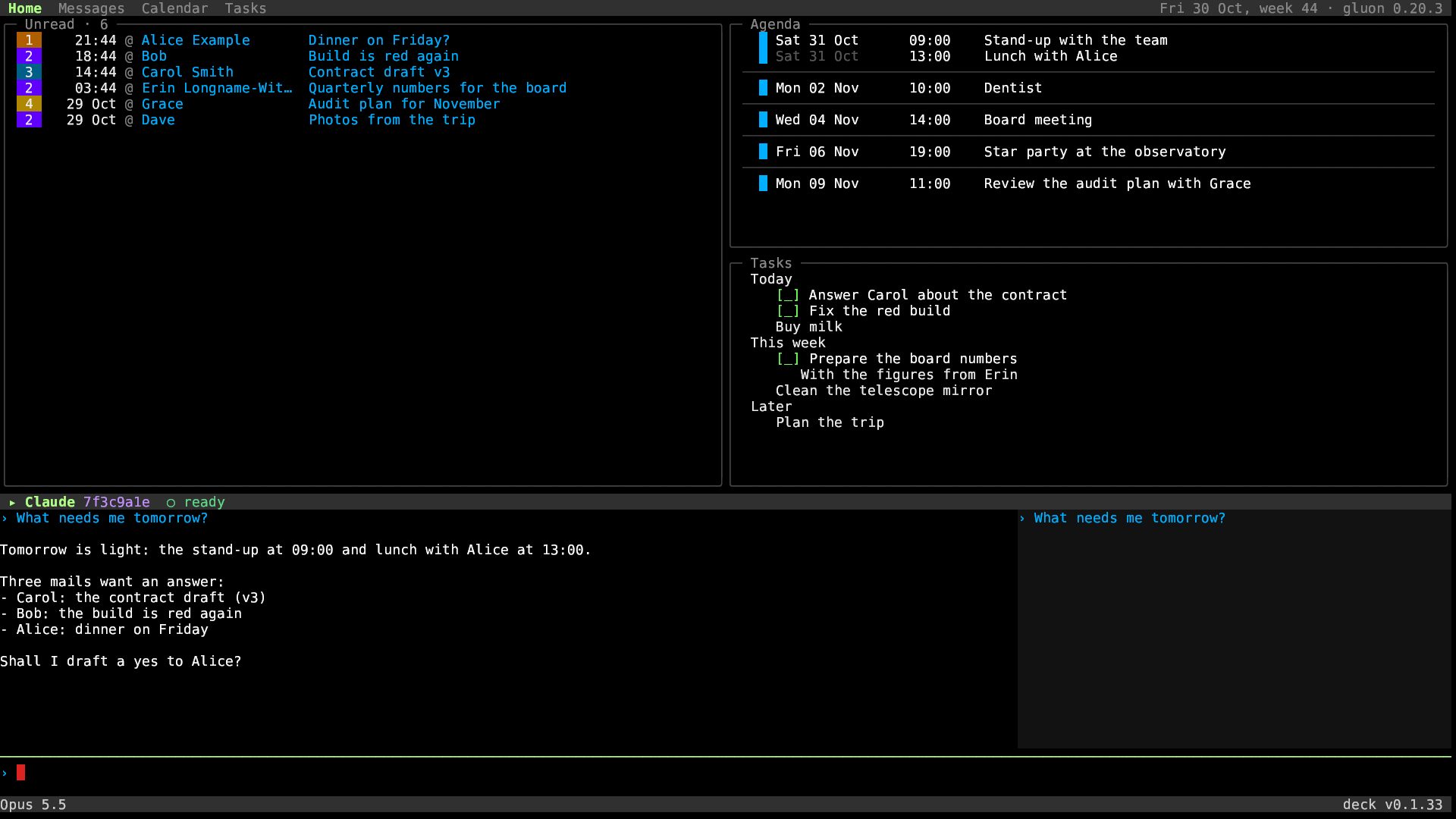
Note: All screenshots display dummy data.
My terminal, glass, paints pixels straight from a program. That’s how the funkey games run in it. So I asked Claude: can we make gluon look like LCARS, the screens on the Enterprise in Star Trek: The Next Generation? Just because.
Of course we could.
How it works
gluon paints one picture over the whole screen. Orange arms, rounded corners, and a coloured button for each part. The picture has holes where the text goes, so the text stays text.
A new picture goes out only when something changes: I move to another box, a title changes, the window changes size. The clock and the stardate are plain text. When nothing happens, nothing new is sent but the minutes on the clock. Drawing a new picture takes about a hundredth of a second.
Here the part with the keys lights up and reaches over to touch its box. The other buttons go dark:
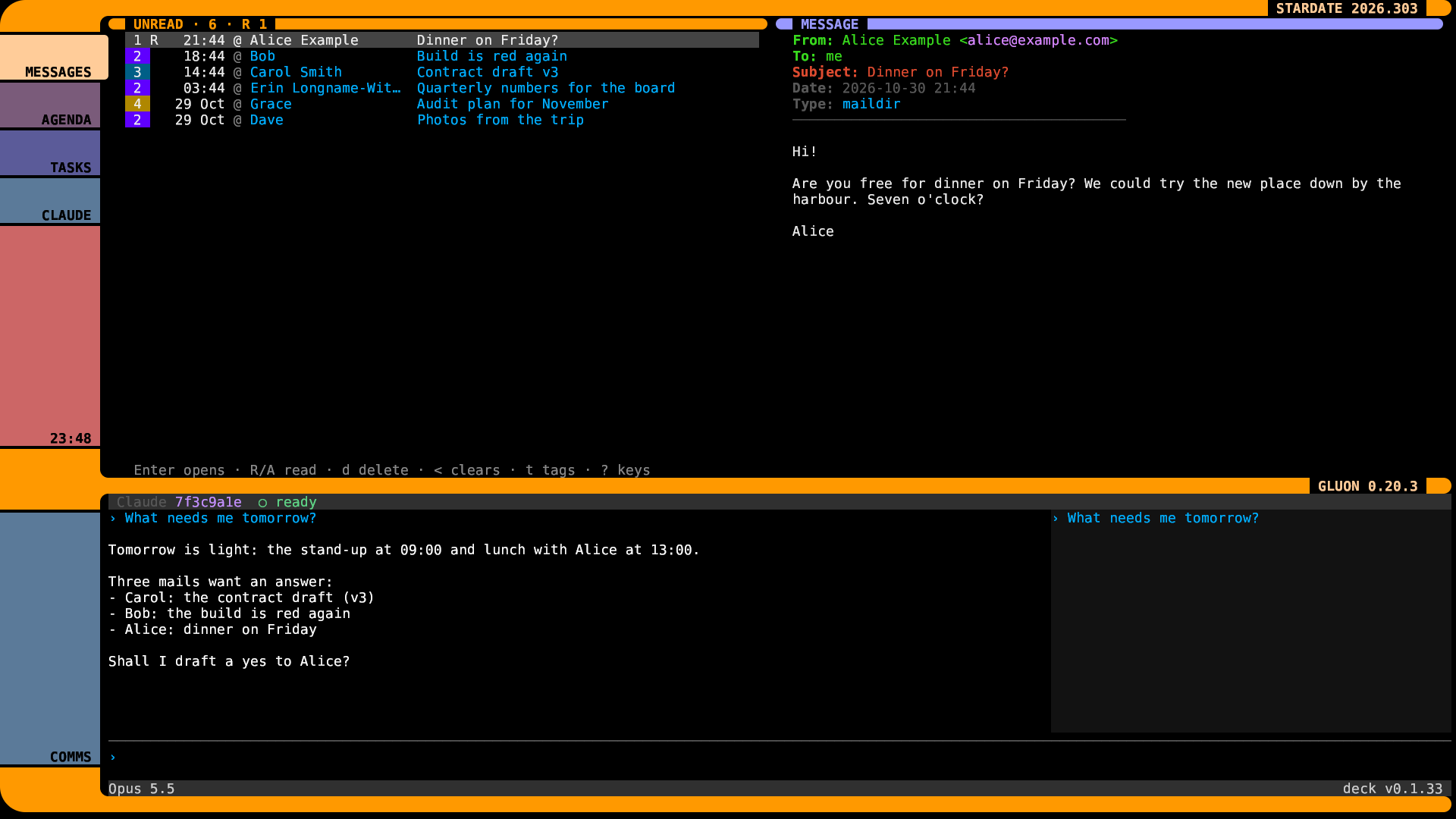
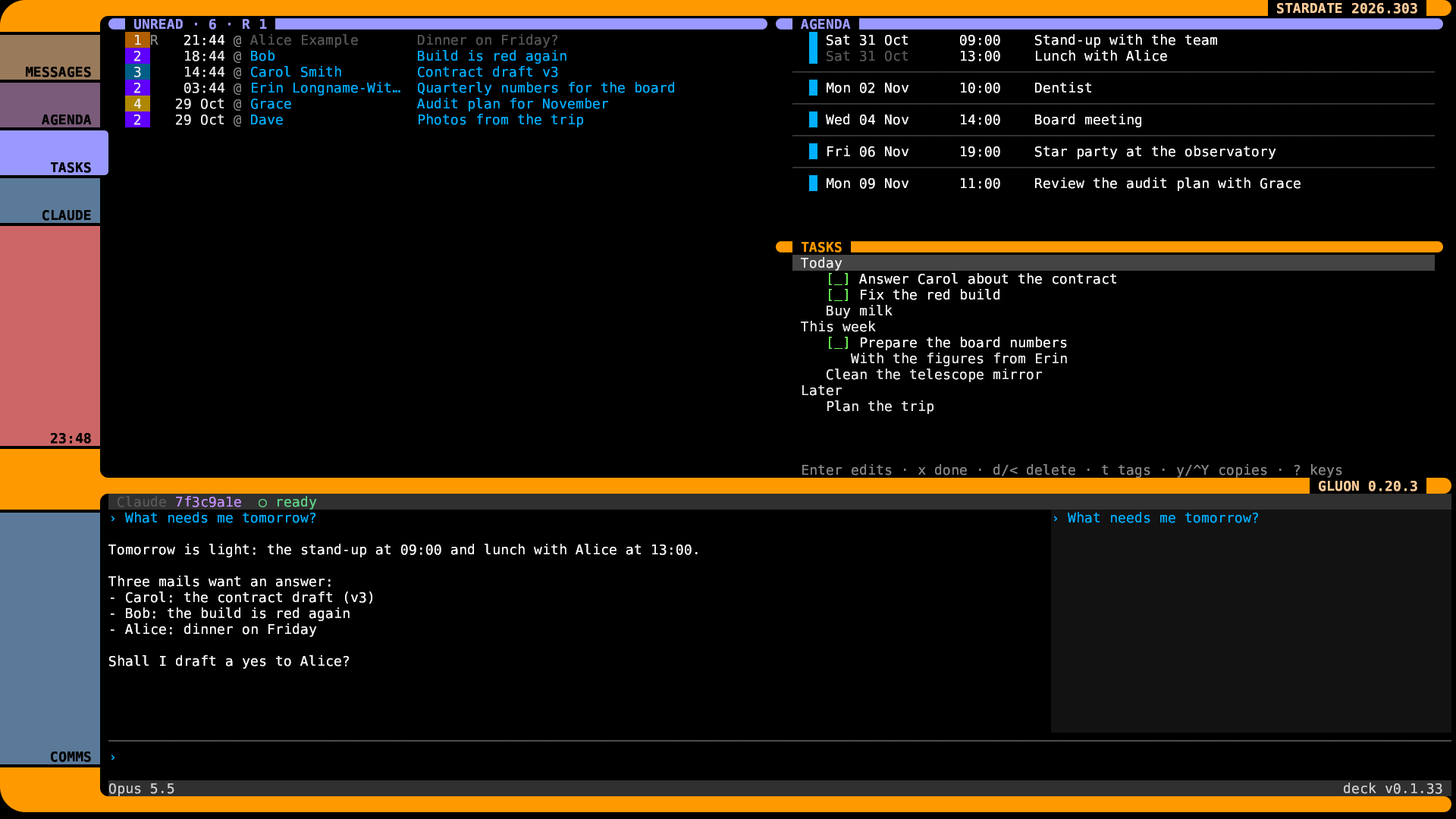
Ctrl+Shift+B switches it on and off.
Summary
- gluon: mail, calendar, tasks and Claude
- deck: the Claude pane at the bottom
- glass: the terminal that takes the pixels
Link to this post: https://isene.org/2026/10/Bridge.html