
Been doing digital art since the mid-90s. Since I am living in the terminal, I decided to improve the ascii part of image displays. Usually I get images to show inline in the terminal via the kitty protocol, but now and then I am on a server via ssh and still want to see some images - or at least what they look like. Hence an update to my graphics engine.
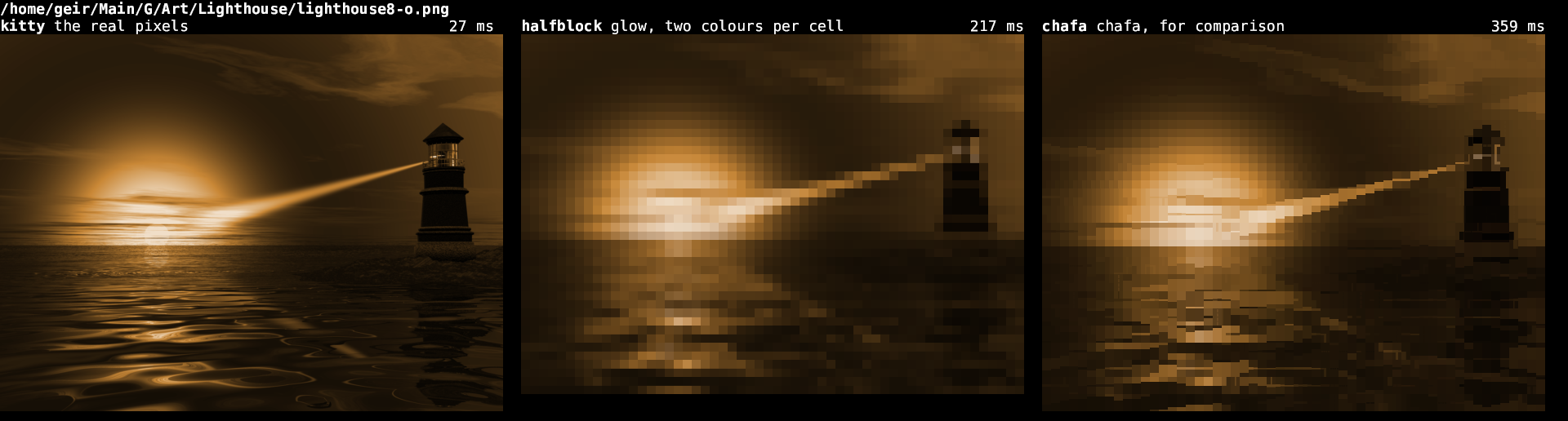
Kitty on the left is the real thing: actual pixels, handed to the terminal through the graphics protocol. The other two are text. Every cell is a character with a colour on it.
The middle one is new
glow is the suite’s image library. It has always had a text fallback for terminals with no graphics protocol. That fallback was poor. It lit a braille dot wherever a pixel came out darker than a fixed threshold, and everything in between was lost. A bright photo came out empty, a dark one solid.
Now it draws half blocks. A cell gets ▀, the foreground colour painting the top half and the background the bottom, so every cell carries two full-colour pixels. A cell is about twice as tall as it is wide, so both come out square.
Two more things came along with it.
The braille renderer dithers. A dot lights when its own value clears an ordered threshold. How many light up inside a cell now tracks the brightness there. Flat grey gives four dots of eight, where the old cut gave none or all.
Scaling happens in linear light. Average sRGB bytes directly and every shrunken picture comes out too dark. Half black and half white gives 128, where the real answer is 188. glow converts to linear, averages the source rectangle each output pixel covers, and converts back.
No external program needed. PNG, JPEG, GIF, WebP, BMP and TIFF are decoded in-process. ImageMagick is only there for the formats the Rust decoder cannot read.
Which one wins
That depends on the picture.
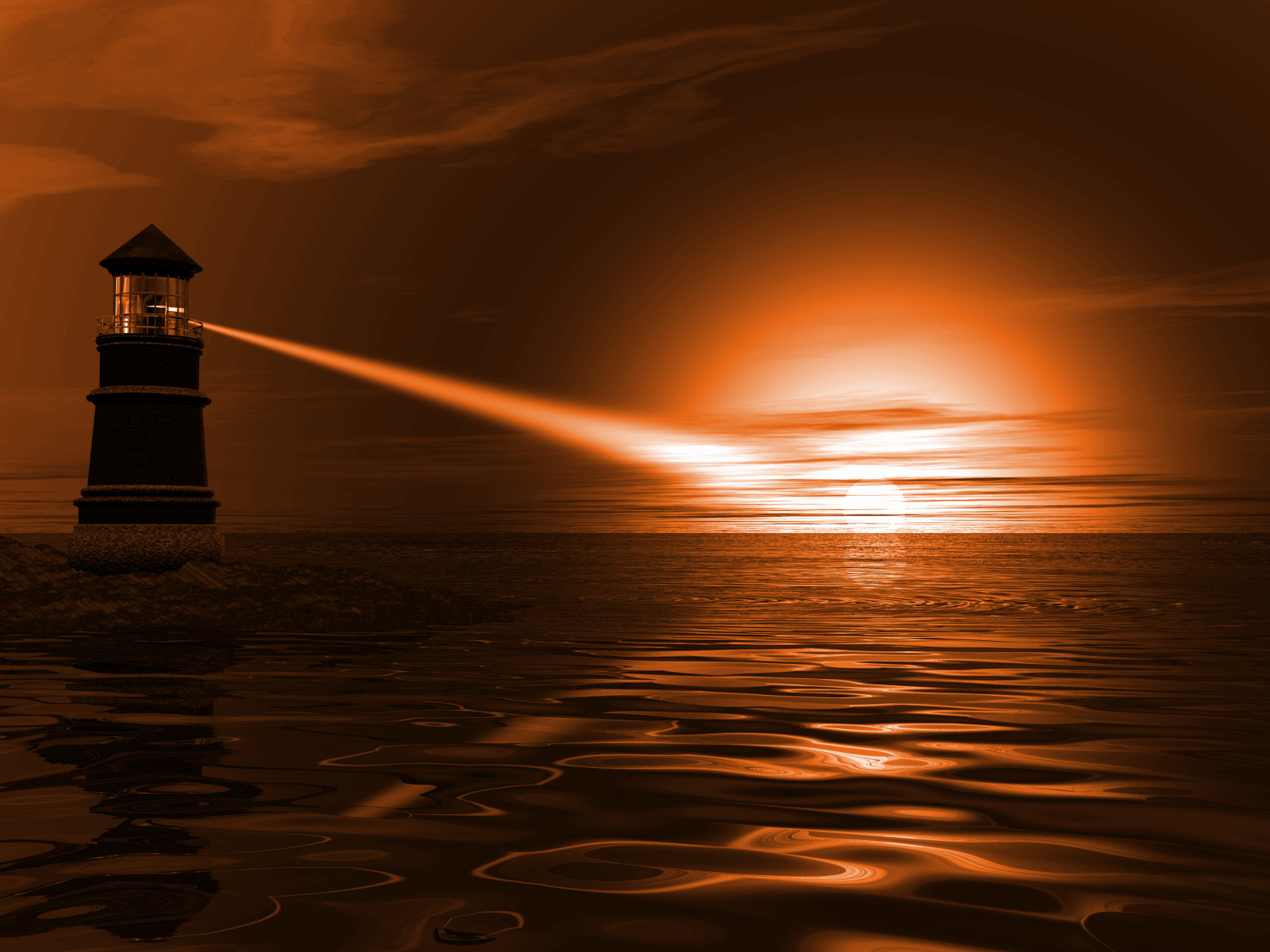
The lighthouse at the top is all gradient. Half blocks keep the glow around the sun smooth. chafa breaks it into steps and lays horizontal streaks across the water.
Now a picture made of nothing but fine structure:
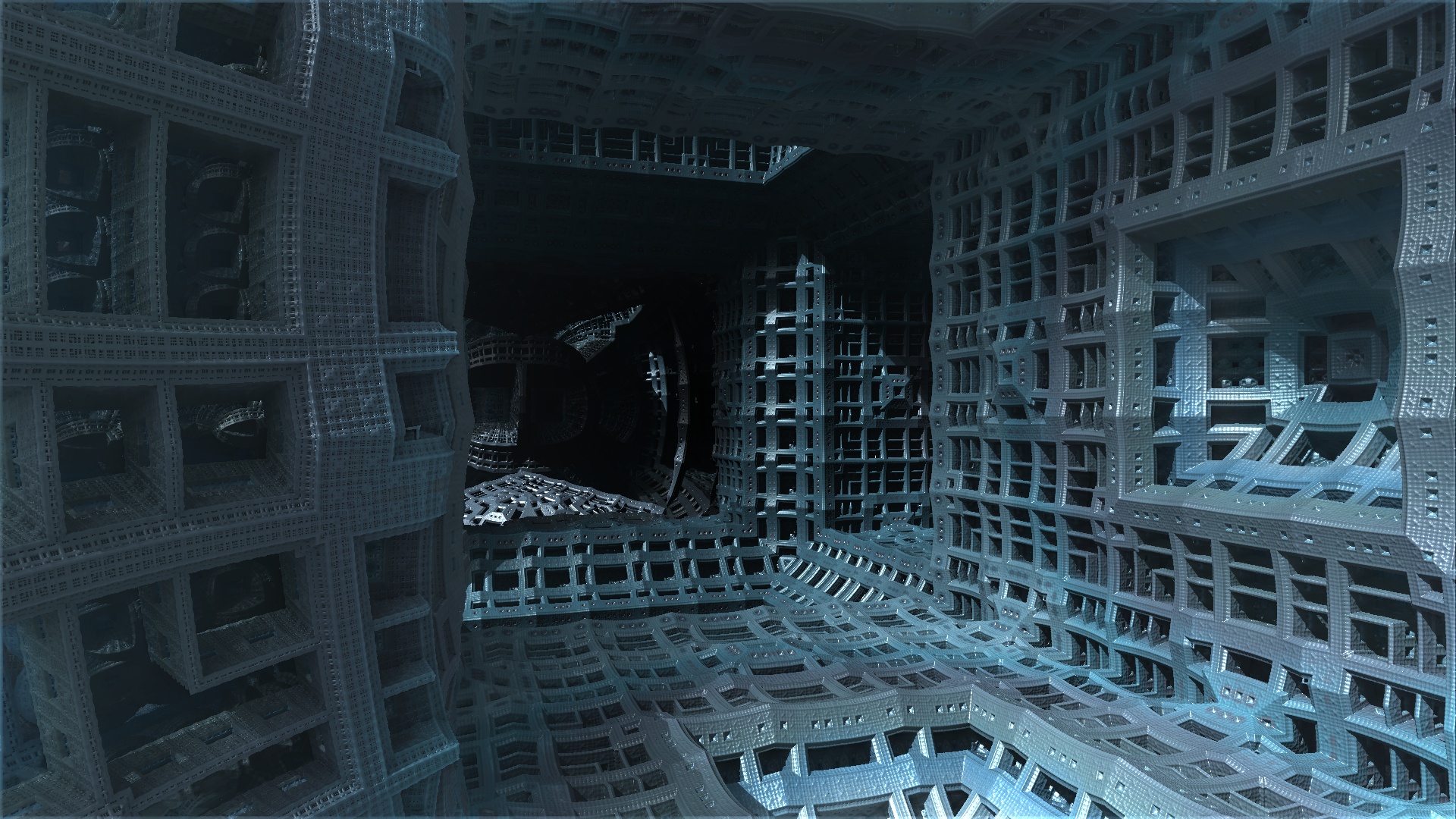
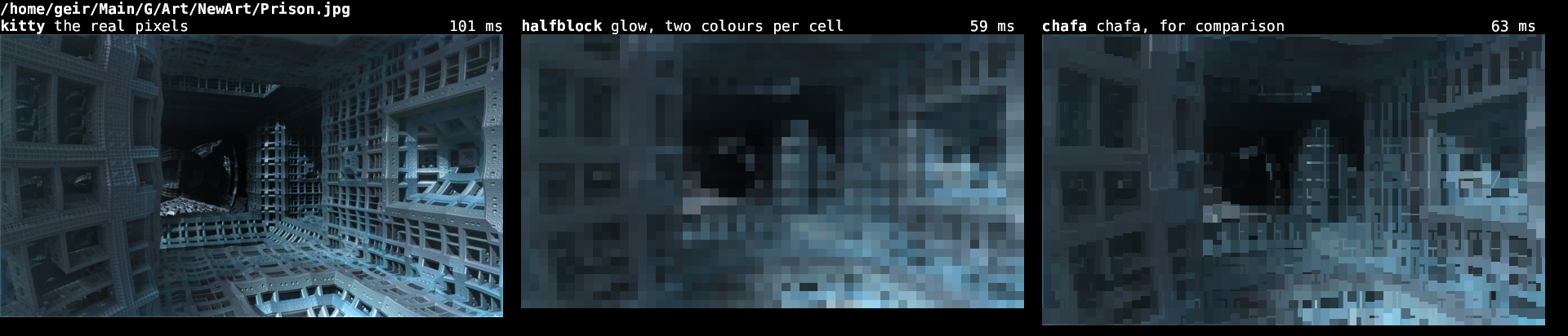
Here chafa wins. It picks from a wide set of glyphs, so a cell can hold a corner or an edge, and the lattice survives. Half blocks have one shape to work with and the detail turns to mush.
Gradients to the blocks, fine structure to the glyphs.
The five second mystery
chafa also looked unusable. Five and a half seconds for one picture, every time. The same command piped to a file took a third of a second.
It was waiting. chafa asks the terminal what it can do and waits up to five seconds for an answer. glass, my terminal, never answers, so chafa sat out the full timeout on every image.
One flag. --probe off, since glow has already decided what it wants:
| lighthouse, 4000x3000 | fractal, 1920x1080 | |
|---|---|---|
| kitty protocol | 27 ms | 101 ms |
| glow, half blocks | 221 ms | 59 ms |
| chafa, before | 5356 ms | 5072 ms |
| chafa, after | 358 ms | 63 ms |
The kitty numbers move around because glow caches the scaled image on disk, and the lighthouse was already in there. The text renderers cache nothing.
Try it
imgcompare puts any picture in three panels and times each one.
git clone https://github.com/isene/glow
cd glow && cargo run --release --example imgcompare -- photo.jpg
Summary
Built with Claude. Eight tests cover the light tables, the linear-light average, the alpha weighting and the dither staircase. “The picture looks about right” is not a test.
The lesson I keep relearning: measure the thing where it runs. Piped to a file, chafa looked fine.
Public Domain, like everything I make.
Link to this post: https://isene.org/2026/07/Pictures-Out-Of-Text.html