
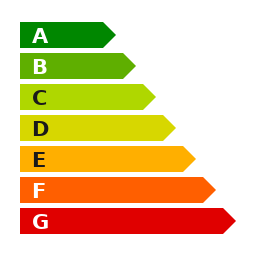
My obsession with my laptop’s battery drain hit a new high (or low, depending the viewpoint). A new tool, grade came out of it.
A fridge comes with an energy label, from A to G. A program has no such indicator. Now it has.
grade
grade watches a running program for 30 seconds. It adds up the processor time the program used and prices it in milliwatts:
$ grade claude
watching claude for 30 s
claude: 6 processes, 38 threads, 30.0 s
  CPU      56.0 ms a second
  Wakeups  122.3 a second
  Power    229.7 mW, 5.51 Wh a day
  Grade    F   (A under 1 mW, B 3, C 10, D 30, E 100, F 300, G more)
Each grade allows about three times the power of the one before. Everything the program starts counts too, so a browser pays for its tabs.
Leave the program alone while grade watches. Then you see what it costs while it waits for you, and that is the cost that drains a battery.
grade is written in Simpler, and it’s bound to reading only from /proc.
Morning and evening
I graded my own programs this morning, at rest. Most were A. Then I spent the day on the rest:
| Program | What it is | Morning | Evening |
|---|---|---|---|
| deck | terminal front for Claude Code, with a session waiting inside | F, 244.5 mW | A, 0.0 mW |
| gaze | web browser, with its open tabs | E, 72.7 mW | A, 0.2 mW |
| gluon | mail, calendar and tasks | D, 12.3 mW | A, 0.5 mW |
| frame | X display server, in assembly | C, 8.3 mW | A, 0.6 mW |
| strip | status bar, with the small programs it runs | C, 11.8 mW | C, 6.2 mW |
What was wrong:
- A Claude Code session waiting for me woke 54 times a second. deck paused it after 10 minutes. Now it pauses it after 1 minute. The paused program costs nothing.
- gaze set its window title about 5 times a second while the mouse moved over links. Each time, the status bar read the title and the display server drew the bar again. Now gaze sets the title only when it changes.
- gaze kept running the pages in a window I did not look at for 5 minutes. Now it stops them after 1 minute.
- The status bar read the window title every second and drew the whole bar again, even when nothing had changed. Now it reads every 5 seconds and draws only a change.
- The volume part of the bar ran two programs every 10 seconds. Now it runs when I press a volume key.
- Reading the temperature from the processor’s own sensor costs a twentieth of reading it from the firmware.
- A small sync job of mine hung on 16 November. While it waited, systemd sent messages twice a second to the network and login services. That cost about 11 mW for 13 days.
Where it stops
The status bar is still C, at 6.2 mW. Its battery part reads the battery every 10 seconds (I kinda need that), and each reading costs 6.3 ms of processor time. That part alone costs 2.6 mW, and a B would need all of strip under 3 mW.
The whole laptop uses at most 3.0 watts at rest (can go down to below 2.5W), with the screen at 60 %. With the status bar stopped for a minute, it uses 2.96 watts.
Summary
Every program of mine is A at rest, except that status bar.
- grade: the tool, with grades for common Linux programs too
- still: my test for a program that waits
- The Watt quest: where the watts go on this laptop
- Simpler: the language grade is written in
- Claude Code: did the work with me
Link to this post: https://isene.org/2026/11/Grade.html