CHasm
A small Linux desktop suite written entirely in x86_64 assembly. No libc. No toolkit. No dynamic linking. Zero runtime.




A small Linux desktop suite written entirely in x86_64 assembly. No libc. No toolkit. No dynamic linking. Zero runtime.
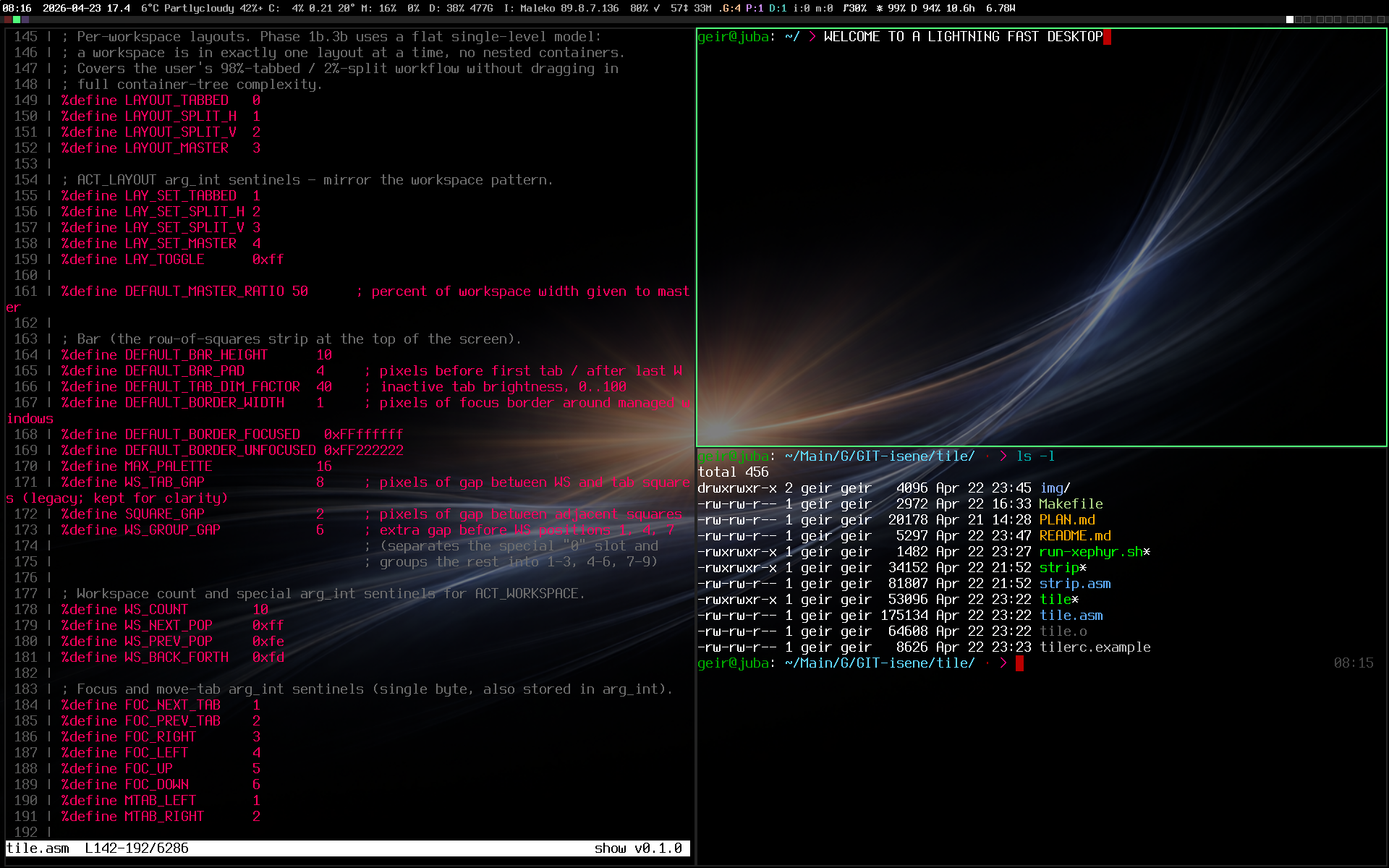
Every binary on screen is x86_64 assembly. tile lays out the windows. strip drives the status row, fed by the asmites in chasm-bits. glass renders each pane (pseudo-transparency picks up the wallpaper). bare is the shell behind every prompt. show renders the syntax-highlighted source.
Modern stacks are deep. A normal terminal loads 30+ shared libraries before drawing a single character. A shell pulls in Python, GLib, OpenSSL transitively. A window manager depends on a toolkit that depends on a compositor that depends on... CHasm strips all of that away to find out what you actually need.
The answer turns out to be: very little. The Linux kernel gives you syscalls. X11 is a documented Unix-socket wire protocol. Everything else is a choice. CHasm is the choice to write that everything else, by hand, in the smallest reasonable language.
Direct syscall for kernel work, the X11 wire
protocol over a Unix socket for graphics. No dynamic
linker, no malloc, no glibc, no Xlib, no GTK, no Qt.
BSS-allocated buffers and that's it.
Each tool is one self-contained binary, typically 20-150 KB. The whole desktop, display server included, fits in under 1 MB of executable code. Nothing to update, nothing to break, no dependency graph to audit.
bare comes up in roughly 9 microseconds. No interpreter, no runtime initialisation, no library loading. The kernel hands control straight to your entry point.
Polling, waking, and forking on a timer are suspect. Status segments use blocking reads on the right file/socket; X11 work compares target state to last- applied state before issuing requests. CPU goes back to sleep, fast.
Measured 10 September 2026 on a Dell XPS 14 with the whole desktop up on frame: 2.63 W at the battery with the screen at 60 %, 1.64 W with it blank. The CHasm programs themselves account for about 7 mW of that.
Seven asm binaries that together form a complete X session, plus four Rust TUI configurators (the only non-asm parts of the suite: writing a configurator in pure asm would defeat the whole point).
Every CHasm program on one page, next to the rest of my software: isene.org/software.
Interactive shell with line editing, history, completion, nicks, multi-pipes, redirects, here-strings, abbreviations, undo, and smart hotkeys. ~9 µs startup.
X11 wire protocol direct, kitty graphics, color emoji via XRender, pseudo-transparency, configurable fonts and keys. No toolkit, no Xlib, just the wire.
Tiling window manager: 10 workspaces, per-workspace tabs, row-of-squares bar, smart cycling, stash. Bundles strip, the X11 status bar that hosts the asmites.
X11 display server that speaks the wire protocol straight to DRM/KMS and evdev: window tree, damage-driven compositor, RENDER, SHAPE, XKB, RandR, MIT-SHM, XInput2, XFIXES. Runs the whole CHasm desktop plus Firefox, GIMP and Discord, with no Xorg, no libdrm and no Mesa anywhere in the path.
File viewer with syntax highlighting, ESC sanitisation,
cat / pane / pipe modes. Drop-in replacement for
less when reading source.
Tiny status-bar segment programs fed into strip: clock, cpu, mem, disk, battery, brightness, network, mailbox, moonphase, wintitle, and more. Each one a self-contained binary.
TrueType / OpenType rasterizer: TTF parser, quadratic Bezier flatten, scanline NZW with 4×4 supersample AA, composite glyphs, UTF-8, variable fonts (fvar + gvar + IUP).

Fullscreen override-redirect locker with keyboard +
pointer grab and a baked raw-RGB lock-screen image.
A small suid-root C helper handles
crypt() / shadow auth.

Four modes from one binary: spotlight (dimmed screen with a circular hole that follows the cursor), draw (click-drag to annotate, colour + width configurable), highlight (click-drag a rectangle that stays bright while the surround stays dim), and ocr (drag a rectangle to grab its text to the clipboard, even where the text cannot be selected). Works across workspaces and over screen-share (Teams / Discord / Meet). Toggle from the launch keybinding.
Claude Code MessageDisplay hook that renders every
answer as a tab-indented HyperList: one idea per line, numbered
by depth. Display only, so the transcript keeps its markdown.
/hl turns it on and off.

TUI configuration tool for the bare shell. Browse and modify all settings with live previews. Atomic save: tmp → bak → publish.

Edit glass's bg / fg / cursor as 24-bit hex, step font size through nine presets, adjust opacity and cursor blink, manage the bg-cycle palette. Six built-in themes.

Configure tile's bar height, padding, workspace and tab colors, border widths, layout ratios. Live preview shows what the bar will look like as you tweak.
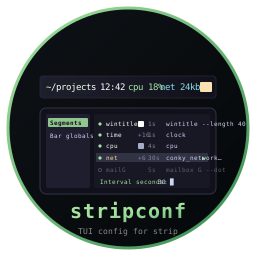
Reorder, toggle, and edit strip's asmite-driven status segments without ever opening the rc file. Live colour swatches, per-segment refresh interval, comment-preserving save.
Three commands. The whole desktop: display server, window manager, status bar, terminal, shell, locker, greeter, five wallpapers. Prebuilt static binaries, a 300 KB download.
git clone https://github.com/isene/chasm
cd chasm
./chasm-install
The installer puts the binaries in /usr/local/bin,
installs the fonts the suite reads, drops default config files
into your home (yours are kept), bakes the first wallpaper and
adds a CHasm entry to your login screen. It
asks one question: whether bolt-greet should
become the login screen. Say no and your boot is untouched.
Then log out and pick CHasm. Or stop the login screen, go to a
text console and run sudo chasm-session: that is
the whole suite on frame, the assembly X
server, with no Xorg anywhere. Inside, Mod4+Return
opens a terminal and Mod4+? shows every key.
Or try it in a browser tab, with nothing installed. Run this,
then open http://localhost:6080. It is slower than
real hardware, and on a Mac, Mod4 is Cmd.
docker run --rm -p 127.0.0.1:6080:6080 ghcr.io/isene/chasm-try
Prefer to build? Each tool is one .asm file (or a small set),
assembled with NASM and linked with ld. No autotools, no
./configure. ./chasm-install --build
does it for every repo, or by hand:
git clone https://github.com/isene/bare && cd bare
nasm -f elf64 bare.asm -o bare.o && ld bare.o -o bare
install -m 755 bare ~/bin/